Can you have different taskbar setup depending on the number of monitors and have it change automatically when you connect/disconnect external monitors?
I’m on X11 and I do with in Awesome WM with couple of lua scripts. I tried doing it with KDE on Wayland and it didn’t have some of features Awesome has do I went back to X11.
Yes. Furthermore, each taskbar is entirely separate from each other. That means I can have one on the left side of my main monitor, and another on the right side of my secondary monitor, and I can pin entirely different things to each one, because I use each monitor differently. And then I spent hours changing the exact colors and icons and all that, there’s plenty of fun to be had
Yes! I’m not sure about it changing when you connect monitors (since I’m usually using desktop PCs), but you can have a different setup per monitor.
I have three monitors at work. My main monitor is configured to show all open apps in the taskbar, while the secondary monitors only show the apps opened on those monitors. You can totally change any of the configuration though… the layout, the position, the settings, or even just not have a taskbar on some monitors.


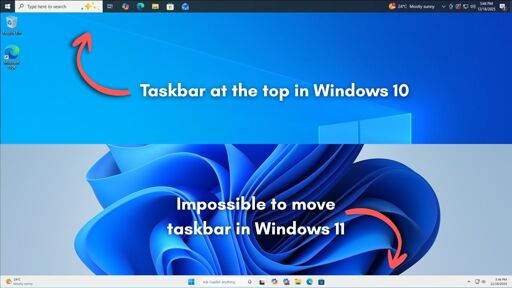
Meanwhile KDE:
Put the taskbar wherever you want it’s even floating if there isn’t a window nearby.
Put one taskbar on every side of the screen
Different design pressures. KDE knowing they put in the work to keep it versatile now, they will always have more options in the future.
Microsoft is basically admitting they have no future.
Can you have different taskbar setup depending on the number of monitors and have it change automatically when you connect/disconnect external monitors?
Yes, my work laptop has this with a 1, 2 or 3 monitor setup. It adapts as it detects the screens.
Since Wayland. Therefore it could be a X11 mess.
I’m on X11 and I do with in Awesome WM with couple of lua scripts. I tried doing it with KDE on Wayland and it didn’t have some of features Awesome has do I went back to X11.
Of course it does! Linux rules.
Yes. Furthermore, each taskbar is entirely separate from each other. That means I can have one on the left side of my main monitor, and another on the right side of my secondary monitor, and I can pin entirely different things to each one, because I use each monitor differently. And then I spent hours changing the exact colors and icons and all that, there’s plenty of fun to be had
Yes! I’m not sure about it changing when you connect monitors (since I’m usually using desktop PCs), but you can have a different setup per monitor.
I have three monitors at work. My main monitor is configured to show all open apps in the taskbar, while the secondary monitors only show the apps opened on those monitors. You can totally change any of the configuration though… the layout, the position, the settings, or even just not have a taskbar on some monitors.