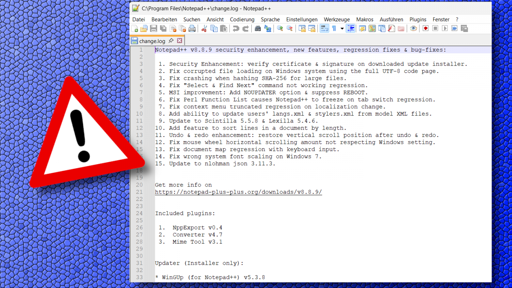
The updater integrated into Notepad++ has allowed itself to be infiltrated by malware, which has been installed on some PCs. The developer of the powerful open-source text editor is responding with an update to Notepad++ v8.8.9. Users currently have to perform the update manually.
In a news post on the Notepad++ website, developer Don Ho explains that “some security experts have reported incidents where internet traffic affecting Notepad++ was intercepted.” According to the post, investigations have revealed that traffic from the Notepad++ updater WinGUp “was occasionally redirected to malicious servers, leading to the download of compromised executable files.” IT security researcher Kevin Beaumont reports that at least three organizations “with interests in South Asia” have been targeted in this way.
As Beaumont explains, the updater uses a version check that queries the URL “https://notepad-plus-plus.org/update/getDownloadUrl.php” and evaluates an XML file delivered through it. The updater uses the download URL listed in the XML file, saves the file in the %TEMP% folder, and executes it. Anyone who can intercept and manipulate this traffic can therefore change the download URL. Until version 8.8.7 of Notepad++, the developer used a self-signed certificate, which is available in the Github source code. This made it possible to create manipulated updates and push them onto victims. Since v8.8.7, however, Notepad++ relies on a legitimate GlobalSign certificate, and installing its own Notepad++ root certificate is no longer necessary.
Remedy through updates
With Notepad++ v8.8.8, the WinGUp updater now forces github.com as the download source. Version 8.8.9, released overnight on Wednesday, further hardens Notepad++ and WinGUp so that they correctly check the signature and certificates of downloaded installers during the update process. If the check fails, the update process is aborted. Don Ho notes that investigations are ongoing to determine how the traffic hijacking occurred in the observed cases.
Kevin Beaumont also lists some indicators of compromise (IOCs). For example, connections from “gup.exe” to URLs other than “notepad-plus-plus.org”, “github.com”, and “release-assets.githubusercontent.com” are suspicious. Likewise, attention should be paid if “gup.exe” starts unusual processes – only “explorer.exe” and “npp*” related Notepad++ installers should run under it, which since versions 8.8.8 are also signed with a GlobalSign certificate. After the observed attacks, files named “update.exe” or “AutoUpdater.exe” (Notepad++ itself does not use these names at all) were apparently also found in the user’s TEMP directory, from which “gup.exe” downloaded and executed the updaters.
Notepad++ v8.8.8 currently does not find the update.
Beaumont recommends updating to at least Notepad++ v8.8.8. However, version 8.8.9 is even further hardened. The integrated updater from Notepad++ v8.8.8 does not yet find the update, and “winget” also does not currently find a newer software version. However, the latest version is available as a manual download on the Notepad++ website.
Notepad++ is frequently targeted by malicious actors because the software is popular and widely used. Last year, for example, Don Ho asked for help to get rid of a “parasitic website” that was creeping into the original Notepad++ site in Google search results. It had unscrupulous intentions. In general, fake sites often appear in search results offering virus-infected files.
This is a tech sub. People should be capable to know their shit around these well known annoyances.
Now imagine US sites that have much fewer regulations. Don’t you ever again browse, or do you just click on ‘accept all’?


That’s a no from me dawg
Don’t whine about data sharing, just open it in a non-javascript browser. Perfectly readable.
Yeah, don’t complain about shitty things, just work around them.
This is a tech sub. People should be capable to know their shit around these well known annoyances. Now imagine US sites that have much fewer regulations. Don’t you ever again browse, or do you just click on ‘accept all’?
It sucks that it’s impossible to complain about things and work around them. Sadly we’re trapped 😔
Just because someone is tech knowledgeable, doesn’t mean they know everything about tech.
Mate you’re the only one whining. I got around the cookie banner just fine, and reposted here for others.